Your devices become reaction pods.
Splyt turns iPhones, iPads, and Android devices into stimulus pods for tennis training and measures four abilities, in milliseconds and accuracy: reaction, inhibitory control, cognitive flexibility, and focus under distraction.
Free, for iOS and Android, in 6 languages. No account, no ads: everything stays on your devices.
What Splyt trains and measures
Each drill lights up a pod and waits for your tap. The app timestamps the display and the response on the pod’s own clock and gives you back the reaction time, the accuracy, and the progress of each series.
Simple and choice
With and without movement, to visual, auditory, and peripheral stimuli.
Inhibitory control
Holding back the tap when the stimulus says not to respond.
Cognitive flexibility
Switching rules mid-series and responding by the new rule.
Focus under distraction
Keeping your reaction sharp while doing another task at the same time.
Ten drills
Each drill has its own parameters (colors, interval, number of stimuli, distance between pods). Changing any parameter creates a new series, so you only compare what is comparable.
- D1Simple reactionA pod lights up, you tap. Simple reaction time.
- D2Direction choiceThe color or the arrow tells you which pod to tap. Choice reaction.
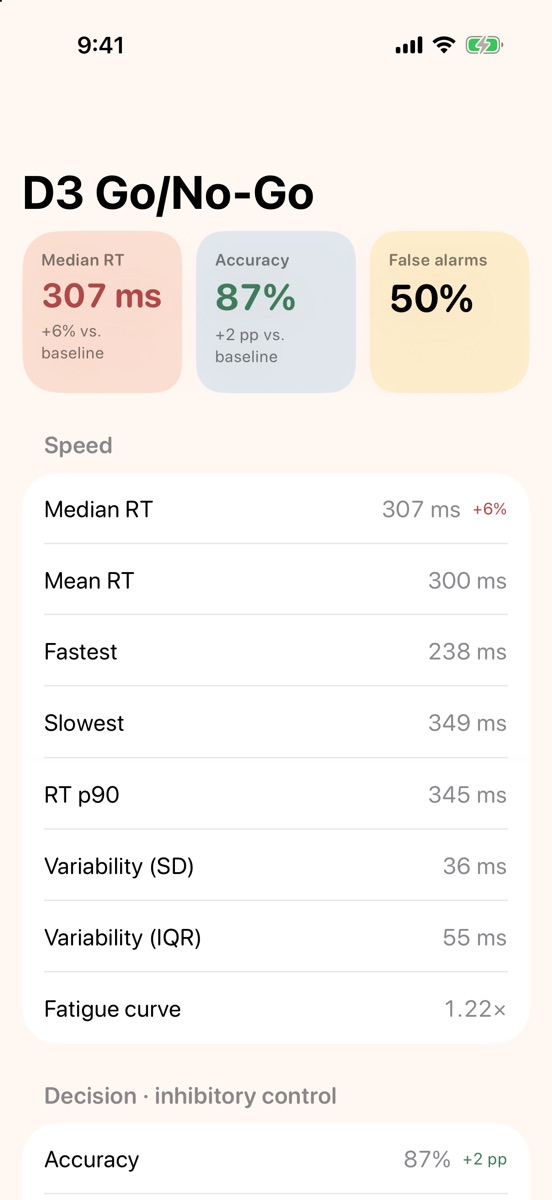
- D3Go/No-GoTap the target color and hold back on the distractor. Inhibitory control.
- D4Pod sequencePods spread across the court, in a zigzag or random order. Reaction with movement.
- D5Voice commandThe app calls out the direction, in the app’s language, and you go to the pod. Auditory processing.
- D6Dual taskReact to the pods while solving math problems read aloud. Focus under distraction.
- D7Rule switchMid-series, the rule flips (⇄). Cognitive flexibility.
- D8Peripheral visionEyes fixed on the center, stimuli on the sides. Visual field and spatial attention.
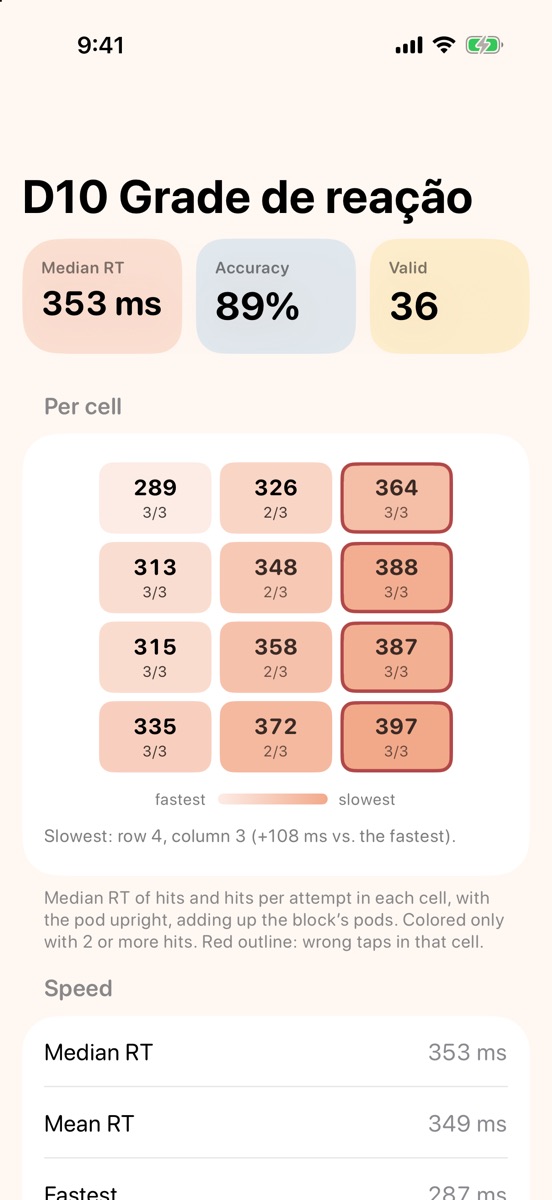
- D10Reaction gridA cell lights up in a grid on the pod’s screen. Visual search and precision.
- D11Color gridFind the target color among the distractors. Visual search and inhibitory control.
6-week plan
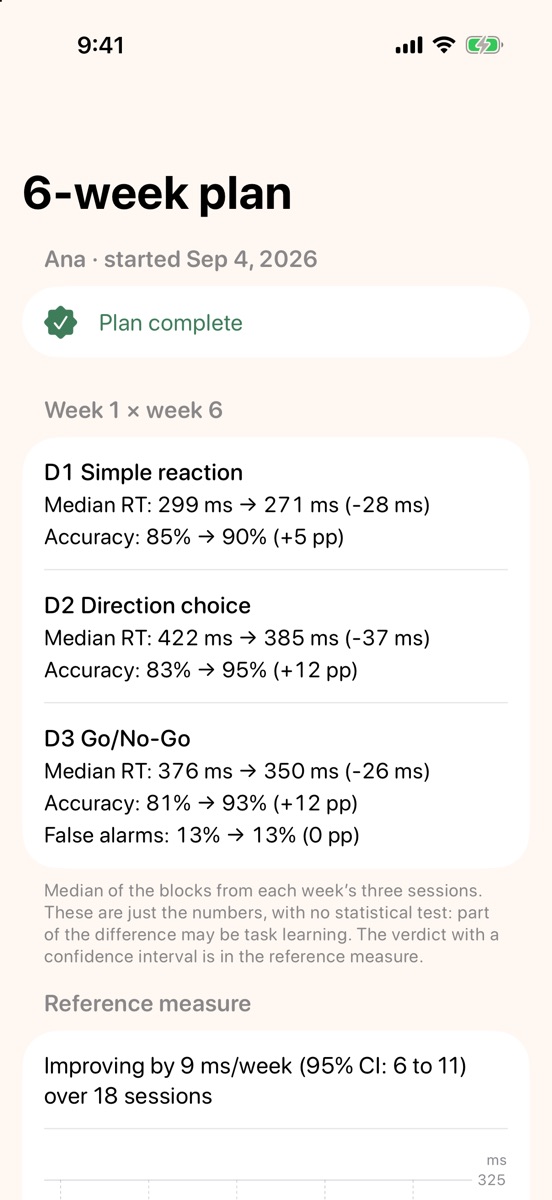
Three sessions a week, 15 to 20 minutes each, with 2 pods. Every session starts with 1 minute of D1, always the same, the reference measure that shows your progress, followed by the week’s three drills. In weeks 2 to 5, the interval between stimuli gets shorter when accuracy goes above 85% in two sessions in a row and longer when it drops below 60%.
Baseline for D1, D2, and D3
Choice and movement
Rule switch and grid
Inhibition and peripheral vision
Focus under load, rule switch, and voice
Reassessment with the week 1 parameters
At the end, the report compares week 1 with week 6 for D1, D2, and D3. Each athlete has their own plan and their own history.
How to set up
You need at least one iPhone, iPad, or Android device. With more devices, each one becomes a pod on the court, up to 6. iOS and Android mix in the same session, and any of them can be the control.
- Choose the controlOpen Splyt on one device and choose Control. To train with that device alone, turn on “This device is also a pod”.
- Add podsOn the other devices, on the same Wi-Fi network, open Splyt and choose Pod. They show up on the control under “New pods”; accept them and set each one’s position (Left, Right, Front…).
- Configure and trainChoose the drill, adjust the parameters, and start. The pods light up and you respond by tapping each one’s screen.
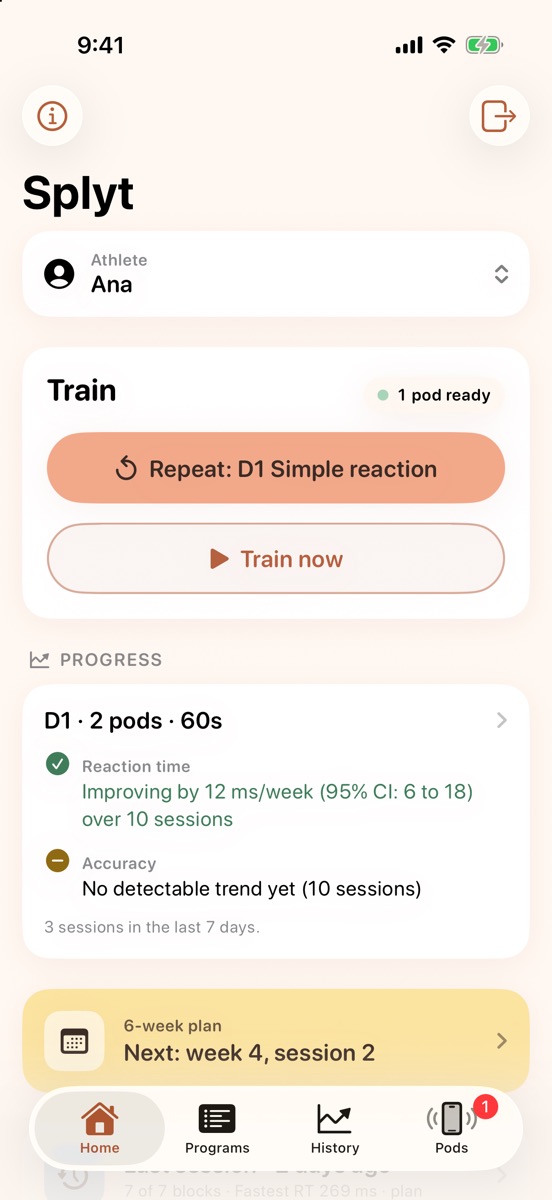
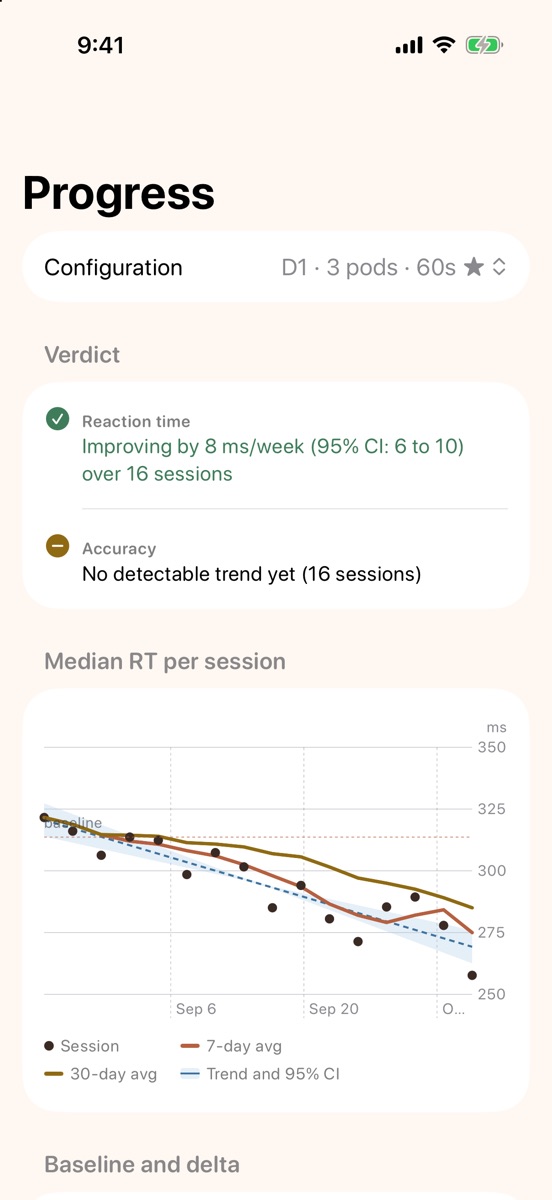
- Track your progressAfter each block, the summary shows reaction time and accuracy. After 5 sessions, the series gets a baseline and a trend verdict.
Inside the app
From the lit pod to the block summary, from progress by series to the plan report.
Science, without overpromising
Splyt trains and measures these abilities within the app itself. It does not promise to improve your game, your ranking, or your technique: the research does not support that kind of transfer from generic cognitive training.
Near transfer
The drills are based on published protocols (choice reaction time, Go/No-Go, task switching, dual task). The expected gain is on those same tasks, measured in milliseconds and accuracy.
An honest verdict
The trend uses each session’s median reaction time with a 95% confidence interval. The app only says “improving” or “worsening” when the entire interval sits on one side of zero.
Measured on the pod
Each pod measures the display and the tap on its own clock, so the network never enters the reaction time. The fixed screen and touch latencies don’t change the trend.